
Steps 8 - 10 of the Cloud Resume Challenge involve using Cloud hosted technologies like databases and APIs to communicate between the different cloud services. This is all so very interesting. I could host a database on my own hardware without paying for the cloud. So, why don't I?
The Cloud is just somebody else's computer, well I already have a computerSo during the course of completing the Cloud Resume Challenge I accidentally built an entire mini data center in my house. It started innocently. I hosted a local webserver on my NAS for testing this very website. Over the course of the Cloud Resume Challenge I was learning about all these services that were hosted on Cloud services. My NAS was 12 years old and struggled with certain tasks as I was testing out these services on my own. So I just had to build a new one. But since I am more interested in the hardware and backend more than front-end I found myself down a rabbit hole of self-hosting and before I knew what happened I had a homelab. I was running proxmox, docker, and TrueNAS Scale in a mini Data Center. Why would I pay a subscription for somebody else's cloud when I could make my own! I looked into the cloud services and saw that I could host my own open source versions of the same thing. What better way to learn how to use it than to host it and test the new things I am learning on my own hardware before moving onto the cloud where I may have to pay if I need to do a lot of testing. Data storage and compute are coming back on-prem. So I did just that.
It all started with a NAS
To replace my aging Synology NAS I decided to go custom. I already had parts and love to build computers so why not just build my own custom NAS and run TrueNAS Scale like a real server? I had to learn all about ZFS and creating ZFS pools and all about how they used RAM as cache by default so if you don't use ECC RAM you run the risk of data corruption being written to disk so I had to get some ECC DDR4 to pair with my old Ryzen 3600X. (Thank you AMD for making your comsumer CPUs support ECC!) I put it all in a nice looking Jonsbo N4 so it would look nice in my living room where I had space for it. I got some used 8TB Western Digital Red HDDs (plus a spare) and it all came together!
The CPU was waaaaaaaaaaaaaaay more powerful than the Intel Atom that was in the Synology so I migrated over some services that I had previously had running on Raspberry Pis into some VMs on the NAS. Home Assistant, Jellyfin, Immich, and my network storage now all lived on one machine and they all ran even better than before! But all of those were things I was totally okay with being offline should the whole computer suffer a problem. With the exception of the data on the storage drives, but that's why I chose a ZFS Raidz2 for 2 drive redundancy. There were some services the I needed to work no matter what like my network DNS server.
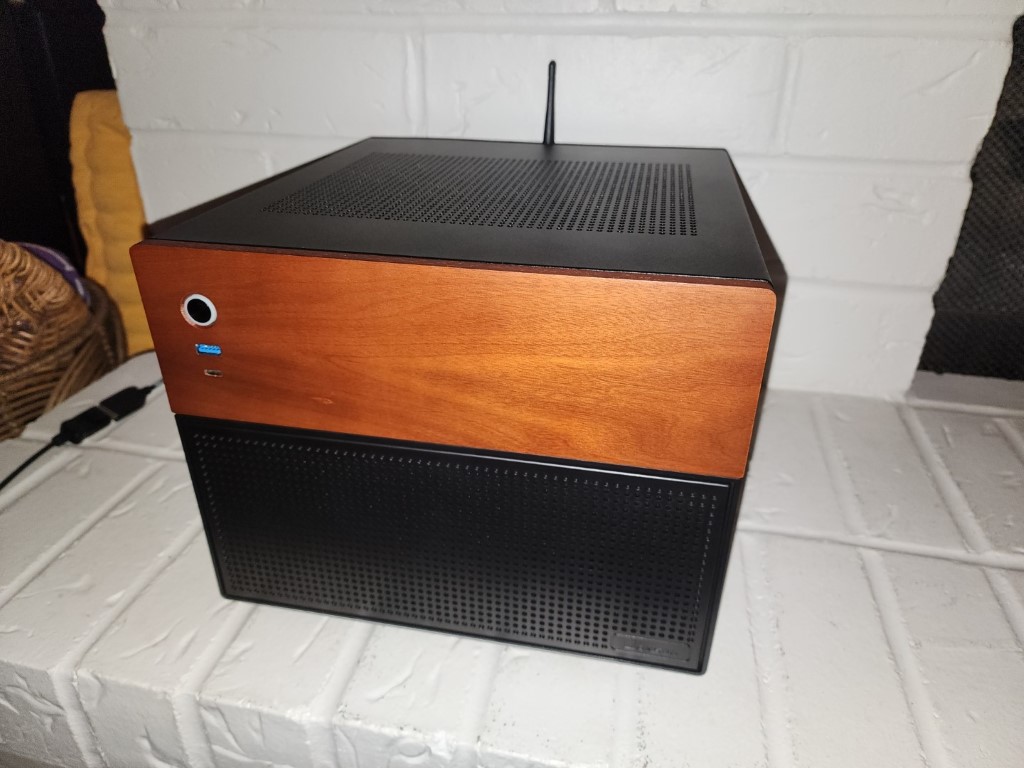
I had set up failover on Windows Server but that's as close as I had gotten to a real high-availability system. I usually only had the resources to run a service on bare metal and just fix it or swap in a spare with a backup image. But it was time to level up if I was going to replace everything used in the Cloud Resume Challenge with my own implementation.
Proxmox VE had clustering and high-availability functionality built right in! It was a no brainer. I was doing this right at the same time that the 10-inch mini rack craze was taking off so of course I had to build my mini data center into a mini rack!
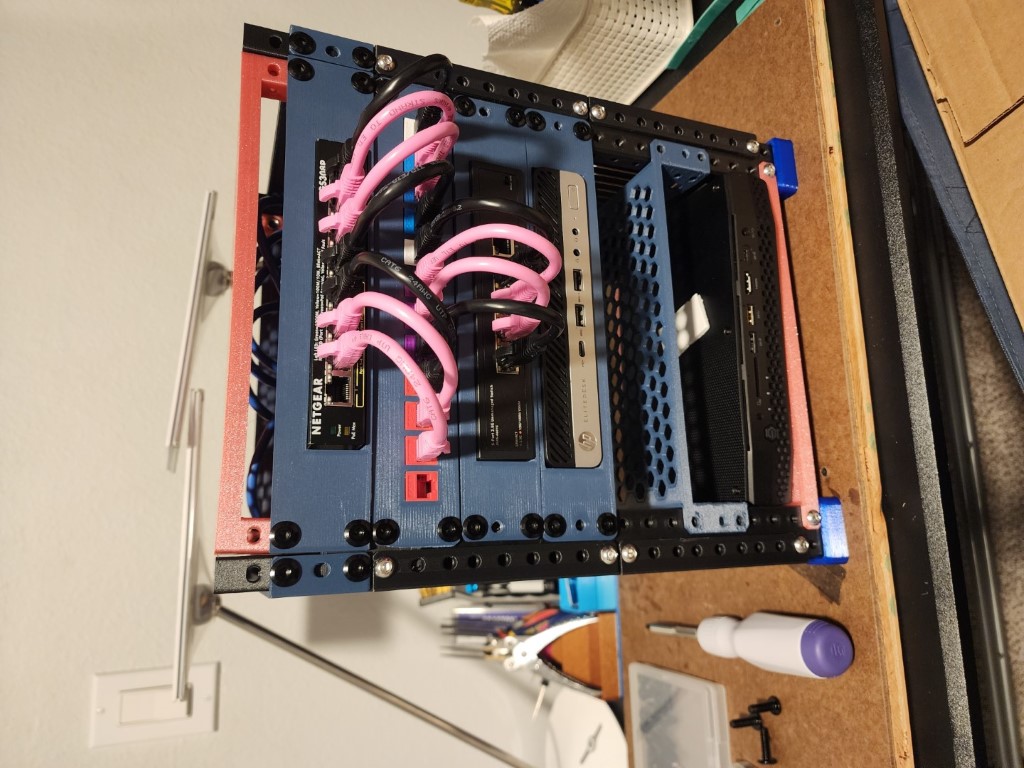 I got 3 very inexpensive HP mini-PCs with Ryzen Pro 2400G CPUs and 16GB DDR4 each. Very modest machines but they didn't need to be fancy they just needed to run a few simple VMs reliably. The Proxmox community scripts make this incredibly easy. One script to enable the free community license and I was ready to start experimenting. It was dead simple and fast to try out a community premade LXC container to see if it would work for me. I later added a 4th node with more memory for more demanding but less important VMs. This is where I planned to run the services that I needed for the Cloud Resume Challenge. I could spin up a VM or LXC container for each service such as database, webserver, API server, reverse proxy, whatever I needed!
Now that it was all assembled I just needed to connect it all together. This was the perfect opportunity to upgrade from my ooooold D-Link router from 2008. It was expensive for the time and with DD-WRT installed it lasted a good long time but it was time for something a little more modern. I settled on the Ubiquiti Unifi Dream Machine! I always wanted to delve into the Ubiquiti ecosystem and now was the time to do it. A new router to handle all the VPNs, VLANs, and POE for the wifi.
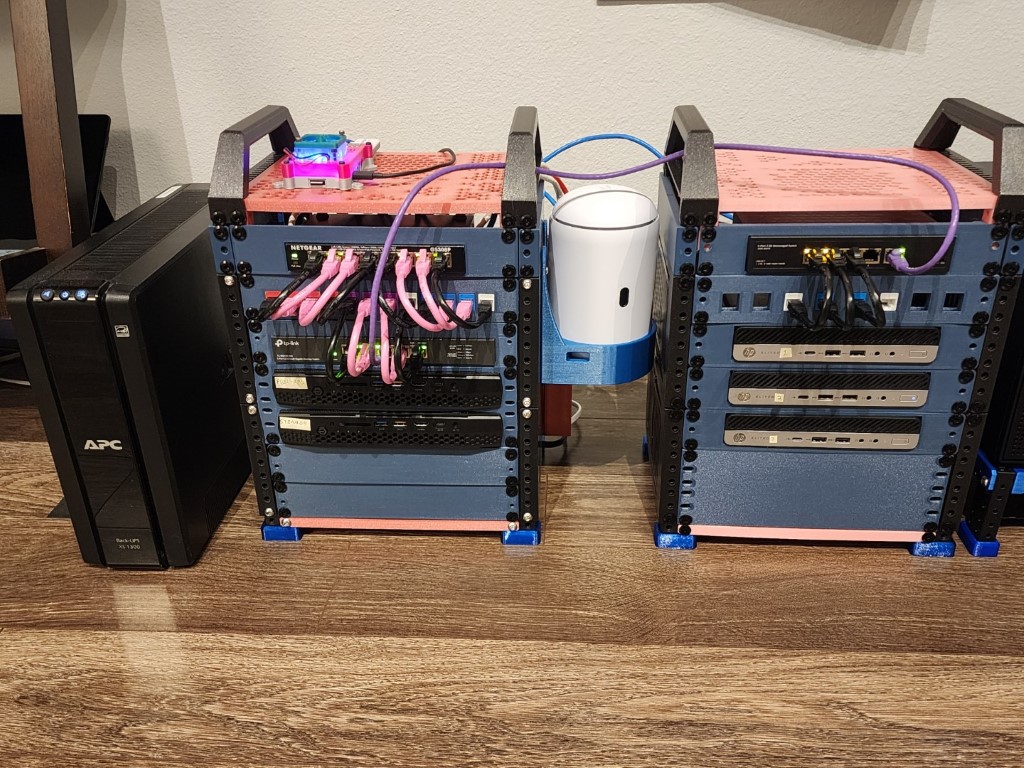 Throwing in a few 2.5G network switches and I was ready to run my own cloud and learn all about how to build and run one myself.
The data center at home:
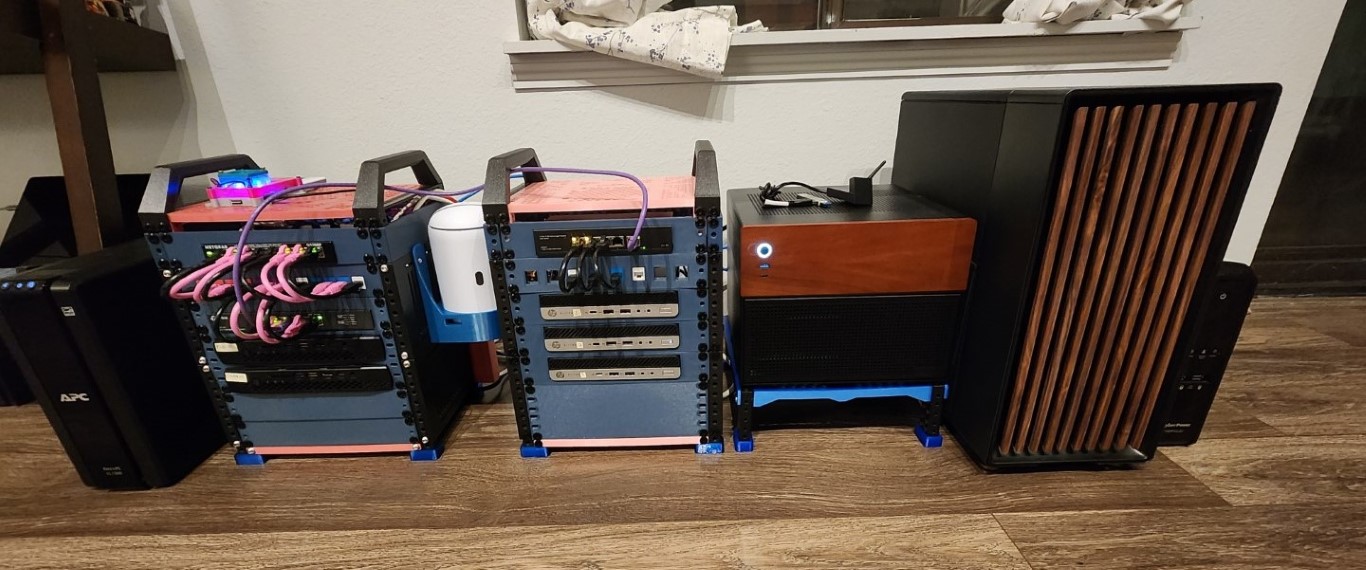 The NAS provides storage, the cluster provides reliable and convenient hosting for services, the AI server provides raw compute power, and the Ubiquiti Unifi Dream Machine controls the network.
It was a fun side mission to build my own data center at home. I learned a lot about how the cloud works and how to implement my own services on my own hardware. I also learned a lot about networking, storage, and virtualization. It was a great experience and I would recommend it to anyone who is interested in learning more about the cloud and how it works.
The NAS provides storage, the cluster provides reliable and convenient hosting for services, the AI server provides raw compute power, and the Ubiquiti Unifi Dream Machine controls the network.
It was a fun side mission to build my own data center at home. I learned a lot about how the cloud works and how to implement my own services on my own hardware. I also learned a lot about networking, storage, and virtualization. It was a great experience and I would recommend it to anyone who is interested in learning more about the cloud and how it works.
Now I was (almost) ready to continue my journey along the Cloud Resume Challenge with my own twist. I would set up my own database and API server instead of using Azure, AWS, or even the Internet Computer. Everything would be hosted on my own hardware. Some companies out there are bringing their infra back on-prem and that's what I have done as well. Doing the challege strictly by the book would not have had the same learning opportunities that my own version has. Return to the Cloud Resume Challenge in Part 4 here: Cloud Resume Journey - Part 4